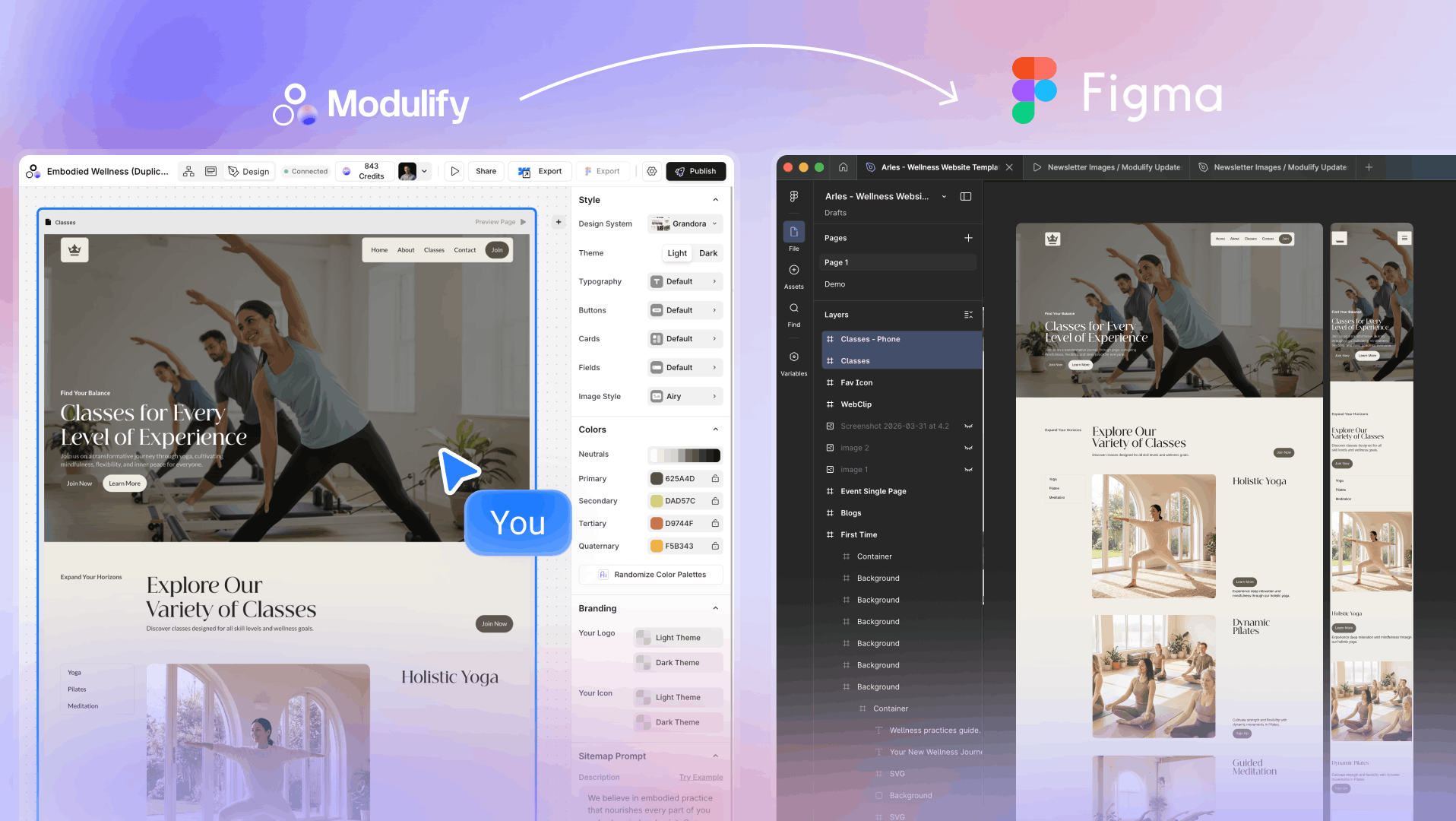
Sitemaps. Wireframes. Figma. Webflow. Repeat. Most designers are spending more time managing the process than doing the actual work — and there's a better way.
The Invisible Tax on Every Webflow Project
Ask any freelance Webflow designer or agency how long a project actually takes, and there's a gap they rarely talk about openly. Not the design. Not the build. The in-between.
The client call finishes, the brief is clear, the scope is agreed — and then comes the part nobody invoices for properly. Mapping out a sitemap in a Google Doc. Sketching wireframes in Figma. Presenting those wireframes, collecting feedback, iterating. Then rebuilding the whole thing again inside Webflow from scratch, because what lives in Figma and what Webflow actually needs are two different things.
That invisible tax compounds across every single project. On a tight timeline, it can eat an entire week before a single section goes live.
Designers don't lose time on design. They lose it on everything surrounding design.
The tools haven't caught up to how professionals actually work. Most workflows still treat sitemap, wireframe, design, and build as four separate phases — each with its own tool, its own handoff, its own opportunity to go out of sync.
What's Actually Slowing You Down
Before you can fix the bottleneck, you need to name it. These are the four places where Webflow projects stall:
Starting from a blank canvas
The blank page problem is real in web design. Every project could reuse 80% of the same structural logic — a hero, feature sections, social proof, a CTA — but most designers rebuild those patterns from nothing each time. The first hour of a project shouldn't be spent recreating components you've made a hundred times.
Wireframing is a full-time job
Good wireframing is valuable — clients get aligned, scope is defined, surprises are avoided. But wireframing in Figma takes hours that aren't always billable. And then the wireframe just sits there, a beautiful document that doesn't actually turn into a website on its own.
The Figma-to-Webflow rebuild
This is the one that frustrates designers the most. You design something polished in Figma, the client approves it, and then you spend the next two days rebuilding it inside Webflow by hand. Every padding value, every breakpoint, every interaction — done twice. The Figma file was never a shortcut. It was prep work for the real work.
Inconsistency across a project
Without a shared design system from the start, projects drift. A component styled one way on the homepage, slightly differently on the services page, differently again on the contact page. By the time a client asks for a small color change, you're hunting down every instance manually.
How Modulify Collapses the Entire Process
Modulify was built by Webflow designers, for Webflow designers. That distinction matters — it means the tool was designed around the real workflow, not a simplified version of it.
Instead of treating sitemap, wireframe, design, and export as four separate phases, Modulify makes them one continuous motion.
Step 01 Sitemap in seconds
You describe your project in a few sentences. Modulify's AI generates a complete, editable sitemap — every page, every section hierarchy. Not a flat list of page names, but a structured blueprint of how the site holds together. You can rearrange, add, or remove pages before moving forward.
Step 02 Wireframes that are actually useful
The sitemap becomes wireframes automatically. Each page is built from modular, solution-driven components — hero sections, testimonials, pricing tables, feature grids, FAQs, contact forms. Every component comes with real copy, not lorem ipsum, written to match your project's tone and industry. You can swap components, move sections, regenerate copy line by line, and preview across breakpoints — all before a single color is applied.
Step 03 Design applied in one click
Modulify has over 30 complete design systems built for different industries — SaaS, creative agencies, portfolios, healthcare, restaurants, architecture, and more. You choose a system, it applies across every page simultaneously: typography, spacing, color palette, iconography, imagery. The result looks like a senior designer spent a week on it. You're still in the first hour.
Step 04 Straight into Webflow — no rebuild
This is where Modulify changes the economics of a Webflow project entirely. When the design is ready, you paste it directly into Webflow using the Modulify Webflow App. The structure, styles, components, and interactions come through intact — built on the Client First framework, the professional standard for scalable Webflow development. There is no rebuild phase. What you designed is what goes live.
1,200+ components. 30+ design systems. No Figma detour. No rebuild phase. Just prompt → design → Webflow.
What This Looks Like in Practice
Here's a concrete comparison. A freelance designer takes on a 5-page website for a SaaS startup — homepage, features, pricing, about, contact.
Traditional workflow:
- Day 1–2: Sitemap, content outline, wireframes in Figma
- Day 3: Client wireframe review, revisions
- Day 4–5: Visual design in Figma
- Day 6: Design approval
- Day 7–9: Build in Webflow from scratch
- Day 10: QA, responsive fixes, handoff
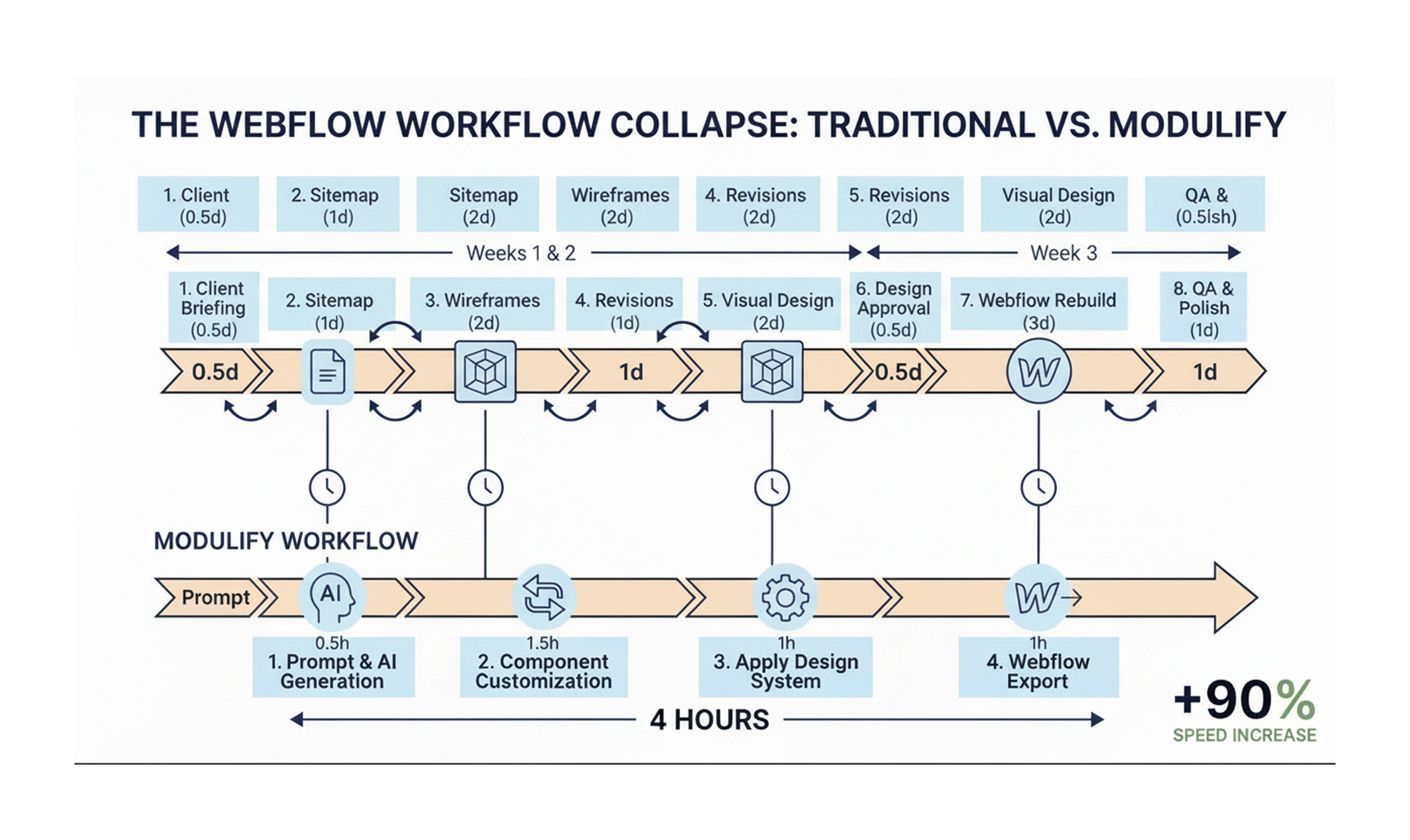
Modulify workflow:
- Hour 1: Prompt → sitemap → wireframes → design applied
- Hour 2–3: Component customization, copy refinement, brand colors
- Hour 4: Export to Webflow via Modulify App
- Day 2: QA, client review, final adjustments, publish
That's not a marginal improvement. It's a fundamentally different project shape — one that lets you take on more work, deliver faster, and spend your creative energy where it actually matters.
Who Modulify Is Built For
Modulify works best for three audiences:
Freelance Webflow designers
If you're billing by project and your margins are being eaten by process overhead, Modulify directly recovers those hours. You can scope projects more aggressively, take on more clients, and deliver results that look like you spent twice as long.
Webflow agencies
Consistency is everything when you're managing multiple projects simultaneously. Modulify's Client First output means every project your team produces is structured the same way — easier to QA, easier to hand off, easier to maintain. The time savings multiply across every project in your pipeline.
Businesses building their own presence
You don't need to understand Webflow deeply to use Modulify. If you can describe what your business does and what kind of site you need, Modulify handles the rest. The output is professional-grade because the underlying components and design systems are built by professionals — you just direct the outcome.
Built on the Right Foundation
One thing that separates Modulify from every other AI website builder on the market is the foundation underneath the output.
Everything Modulify generates is built in the Client First framework — the industry standard for scalable, maintainable Webflow development. That means consistent naming conventions, logical class hierarchies, and a component structure that professional Webflow developers will recognize immediately.
The design systems aren't just aesthetic templates. They're complete visual systems with spacing scales, typography pairings, color variables, and responsive behavior already resolved. Animations and interactions are built into the components — heroes, galleries, testimonials, and headings arrive with motion ready to go.
You're not starting from scratch. You're starting from a senior-level foundation.
The Honest Trade-off
No tool eliminates all creative work, and Modulify doesn't try to. The AI gives you a strong starting structure — smart enough to get you 80% of the way there instantly. The remaining 20% is yours: your client's brand nuances, the specific copy voice, the bespoke interaction that makes a project feel custom.
That's actually the right balance. The parts AI handles well are the structural, repeatable, time-consuming parts. The parts that require human judgment — strategy, creative direction, client relationship — remain exactly where they should be.
Modulify doesn't replace what makes a great Webflow designer great. It removes the busywork so that designer has more room to be great.