
Product
MacBook Neo + Modulify — Build Webflow Sites in Hours, Not Days
March 11, 2026
Follow us
Apple just dropped something genuinely interesting. The MacBook Neo — available starting today, March 11 — is not trying to be the most powerful laptop in the room. It's designed to be the most useful for people who actually need to ship work: students, freelancers, and solo designers who want a machine that's fast, beautiful, cost-effective, and ready to run the modern creative stack without breaking a sweat.
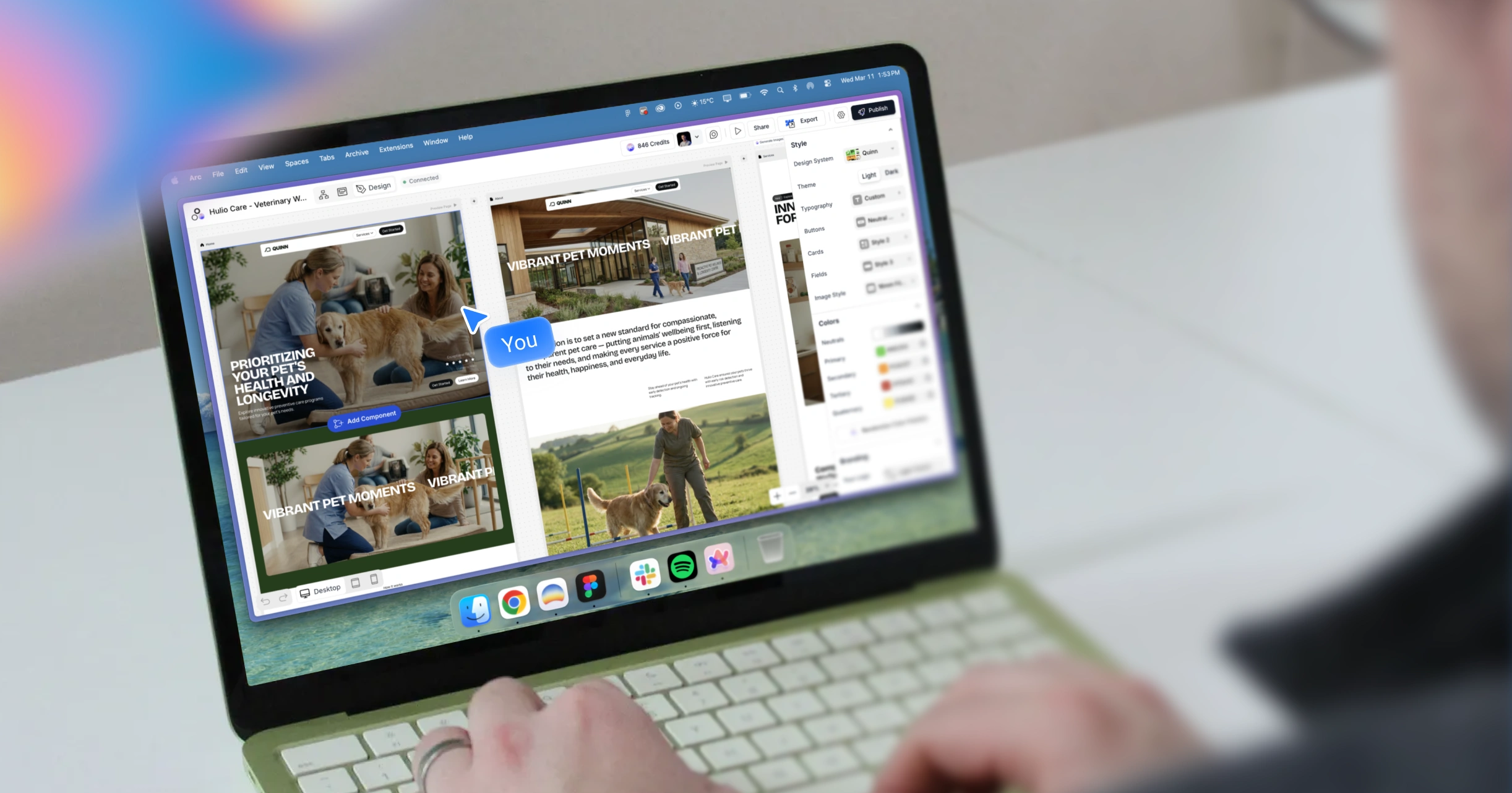
We've been spending time with it alongside Modulify — and the pairing is difficult to ignore. If you've ever found yourself deep in a client project at 11 pm, juggling Figma wireframes, Webflow tabs, stock photo sites, and three client chat threads simultaneously, this combination might be the workflow reset you didn't know you needed.
Here's what makes the MacBook Neo and Modulify click together — and how you can use both to build professional Webflow sites faster than you thought possible.
First – What is the MacBook Neo?
The MacBook Neo is Apple's newest laptop, positioned as the entry point to the Mac ecosystem, priced starting at $599. It ships with the A18 Pro chip — the same processing core behind the iPhone 16 Pro — which means it's no slouch for creative work. The 13-inch Liquid Retina display delivers 3.6 million pixels, 500 nits of brightness, and support for 1 billion colors. For anyone doing web design work, that level of color fidelity matters. What you see on screen is what your client will see.
Battery life sits at up to 16 hours on a single charge. This is the number that changes how freelancers work. You're no longer anchored to a power outlet during client calls, coffee shop sessions, or late-night build sprints.
The A18 Pro's efficiency architecture is doing real work here — the chip handles AI tasks, browser-heavy Webflow editing, and creative tools like Figma without the fan kicking into overdrive or the battery draining in real time.
Combined with macOS Liquid Glass — the updated design language that brings clarity and visual hierarchy to the entire operating system — the MacBook Neo feels like a machine built for people who think about aesthetics and workflow simultaneously.
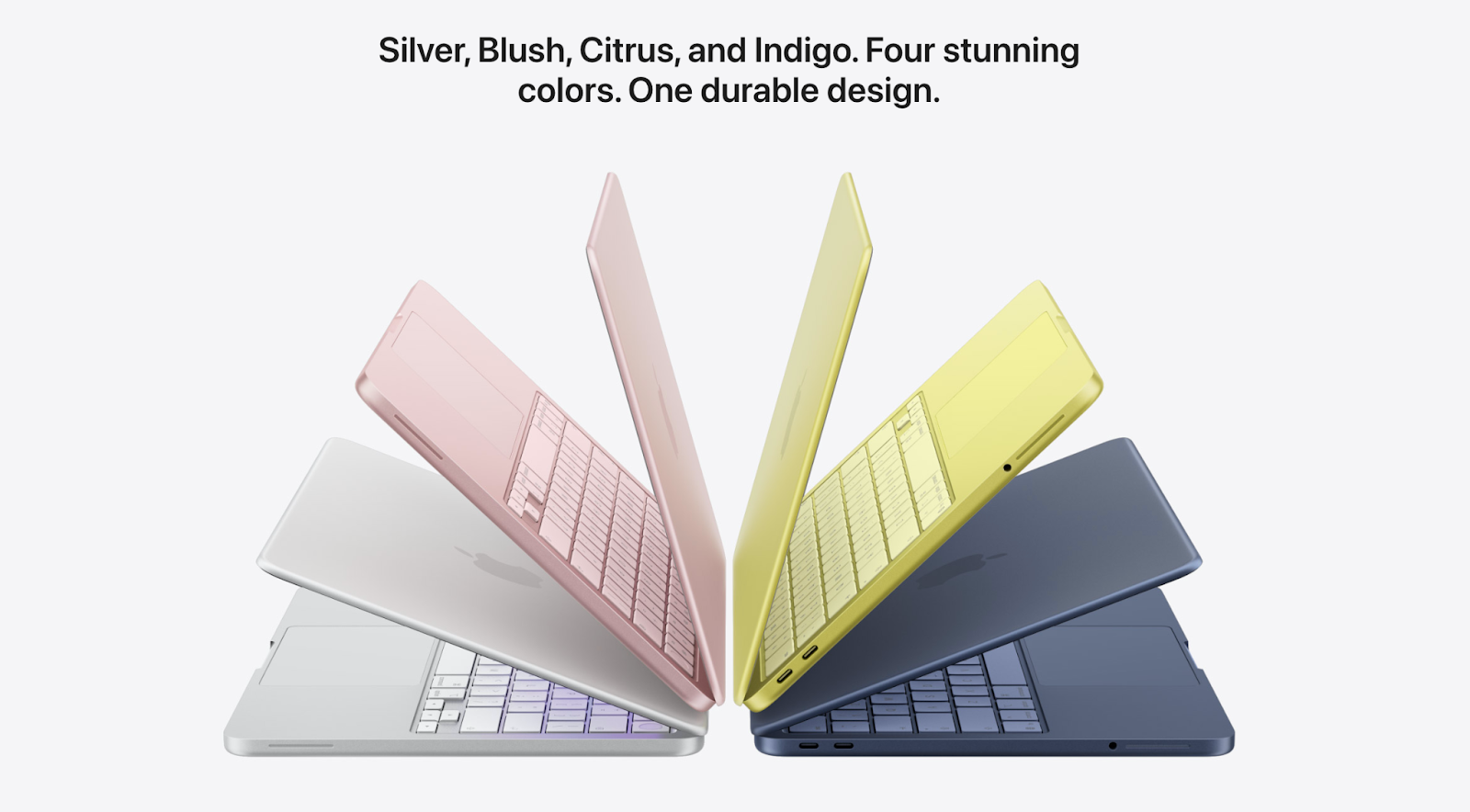
It comes in four colors: Silver, Blush, Citrus, and Indigo. The recycled aluminum enclosure achieves 60% recycled content by weight—the highest Apple has ever achieved in any product.
Why Modulify belongs on it
Modulify is a browser-based platform. It runs entirely in your browser, which means it puts zero pressure on local storage, runs smoothly on the A18 Pro's neural engine and GPU, and stays fast even when you have Webflow, Figma, and a client Slack thread open at the same time. There's no heavy local install, no RAM-hungry desktop application, and no need to keep local files in sync.
That lightweight architecture is not an accident — it's what makes Modulify the natural creative companion for a machine like the MacBook Neo. The combination is deliberately accessible: a laptop designed for students and freelancers, paired with a platform that removes the technical overhead of building professional Webflow sites from scratch. Both are optimized for people who need to produce high-quality output without the enterprise-level overhead.
Webflow Library — Kickstart Any Project in Minutes
One of the most time-consuming parts of any new web project is the starting point. You're staring at a blank Webflow canvas, and the first hour is spent setting up basic page structure, defining a type scale, picking spacing tokens, and assembling a navigation that actually works. Every freelancer knows this feeling. Every student who has tried to build a portfolio under a deadline knows this acutely.
Modulify's Webflow library changes that starting point entirely. Instead of building from nothing, you're choosing from a library of over 1,200 pre-designed, production-ready components that drop directly into Webflow.
The library is organized by section type—hero sections, feature sections, pricing tables, testimonials, CTAs, footers, navbars, and more—so you never have to search for what you need. You're selecting it.
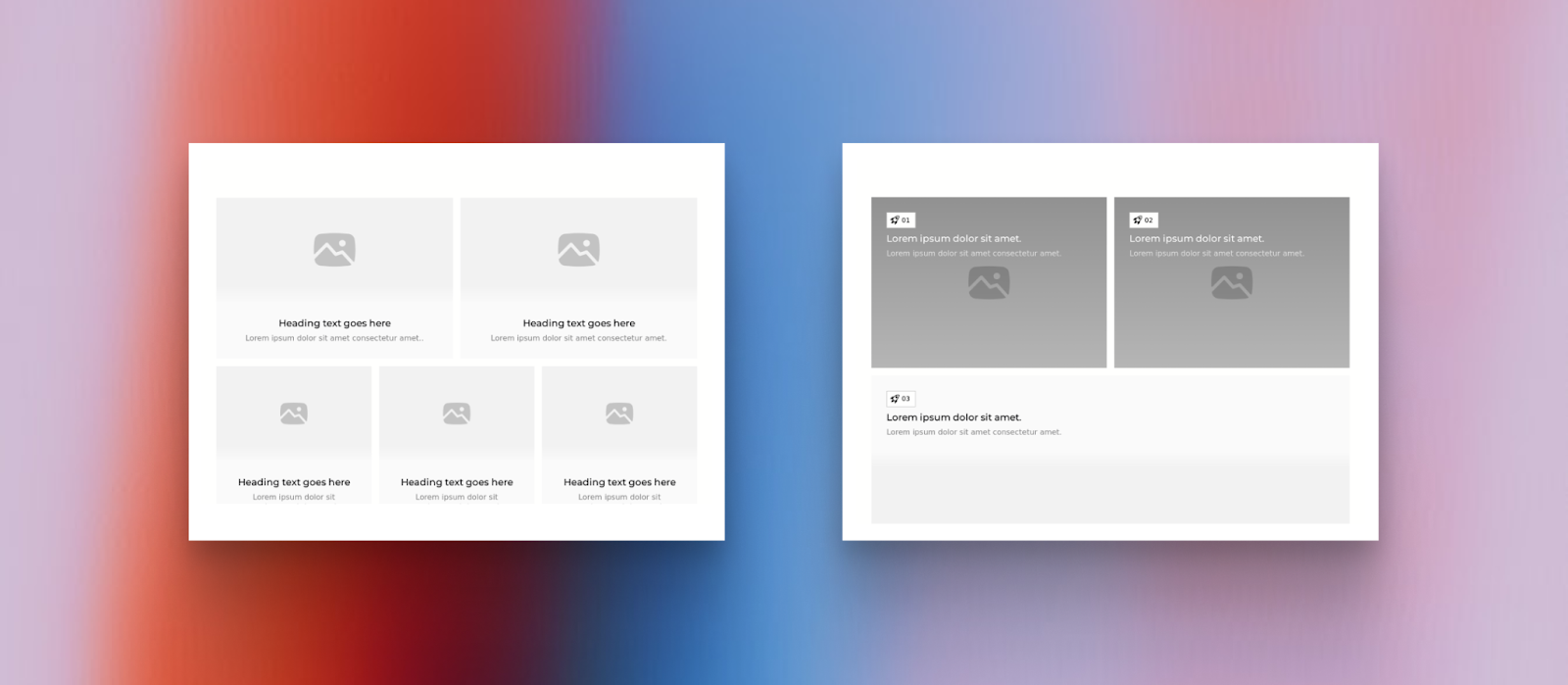
More importantly, these aren't template components locked into a single visual style. They're modular building blocks that carry Modulify's AI context — meaning they're generated and styled to match the project you're working on, not a generic starting point you then have to fight to customize.
The Building Blocks Behind Every Great Site
The phrase "Webflow component library" gets thrown around a lot, but it's worth being precise about what it actually means in the context of how designers work.
A component library is not a template. A template locks you into a specific layout and visual style — you're customizing within its constraints. A component library is a collection of independent, reusable UI blocks that you assemble according to your specific project needs. The difference is creative freedom. With a library, you're not starting from someone else's vision. You're building your own from pre-engineered parts.
Modulify's Webflow component library is built around this principle. Every component in the library is standalone, responsive by default, and designed to work within Webflow's native component system. That means when you add a pricing section from the library, it doesn't bring along a bunch of page-level styles you'll spend an hour unpicking. It arrives clean, ready to style, and ready to go live
Cloneable Webflow templates to kick off fast
Beyond individual components, Modulify gives you access to pre-designed Webflow cloneable templates organized by industry and use case. Starting a SaaS landing page? A portfolio site? A local service business? Instead of assembling your page structure component by component, you start with a full-page skeleton already in place—professionally structured, visually coherent, and ready for your content.
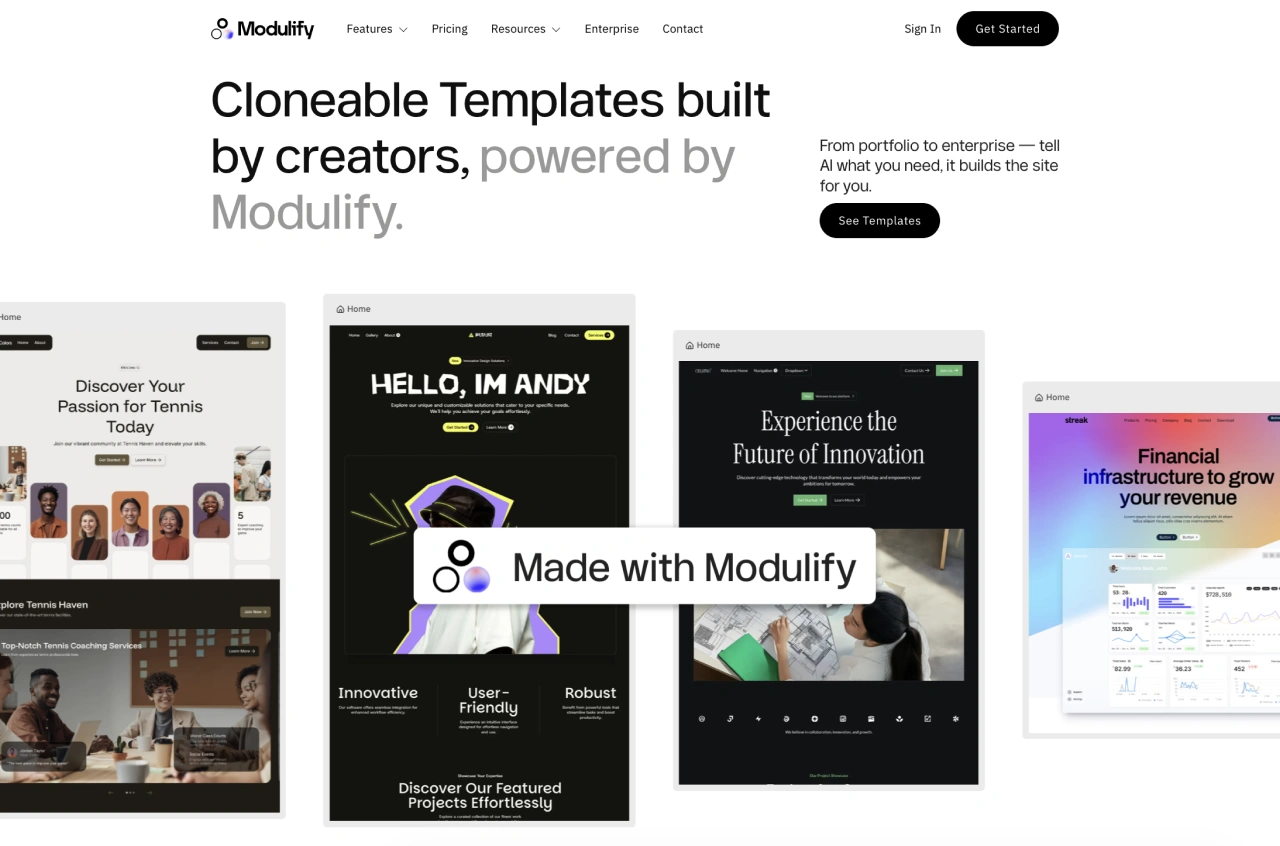
For students under deadline pressure and freelancers juggling multiple client projects simultaneously, this changes the project timeline calculus. A page that would take three hours to build from scratch now takes thirty minutes to customize. The creative work — the copy, the color palette, the imagery, the fine-tuning — gets more of your attention, because the structural work is already handled.
Combined with the MacBook Neo's 16-hour battery and the Liquid Retina display's color accuracy, you're building sites on a screen that shows you exactly what your client will see, without sacrificing the mobility that lets you work from anywhere the project takes you.
Nano Banana Integration — AI-Powered Imagery That Ships Projects Faster
There's a problem that every web designer hits on almost every project, and almost nobody talks about honestly: the imagery gap.
You've built a beautiful site for a plumber. The layout is solid. The copy is clear. The Webflow structure is clean. But the client hasn't sent you photos yet. The photos they did send are blurry iPhone shots from 2019. The stock photography available for "professional plumber" looks like it was staged in 1998. The project is done, except for the fact that it doesn't look done, because the images let it down.
This is where Nano Banana comes in.
What is Nano Banana?
Nano Banana is an AI image generation tool built on Google's Gemini engine, integrated directly into Modulify. You don't need to leave the platform, open a separate tab, or navigate a different interface. Within the Modulify build flow, when you're working on a page section that needs imagery, Nano Banana generates it on demand — context-aware, high resolution, and matched to the project you're building.
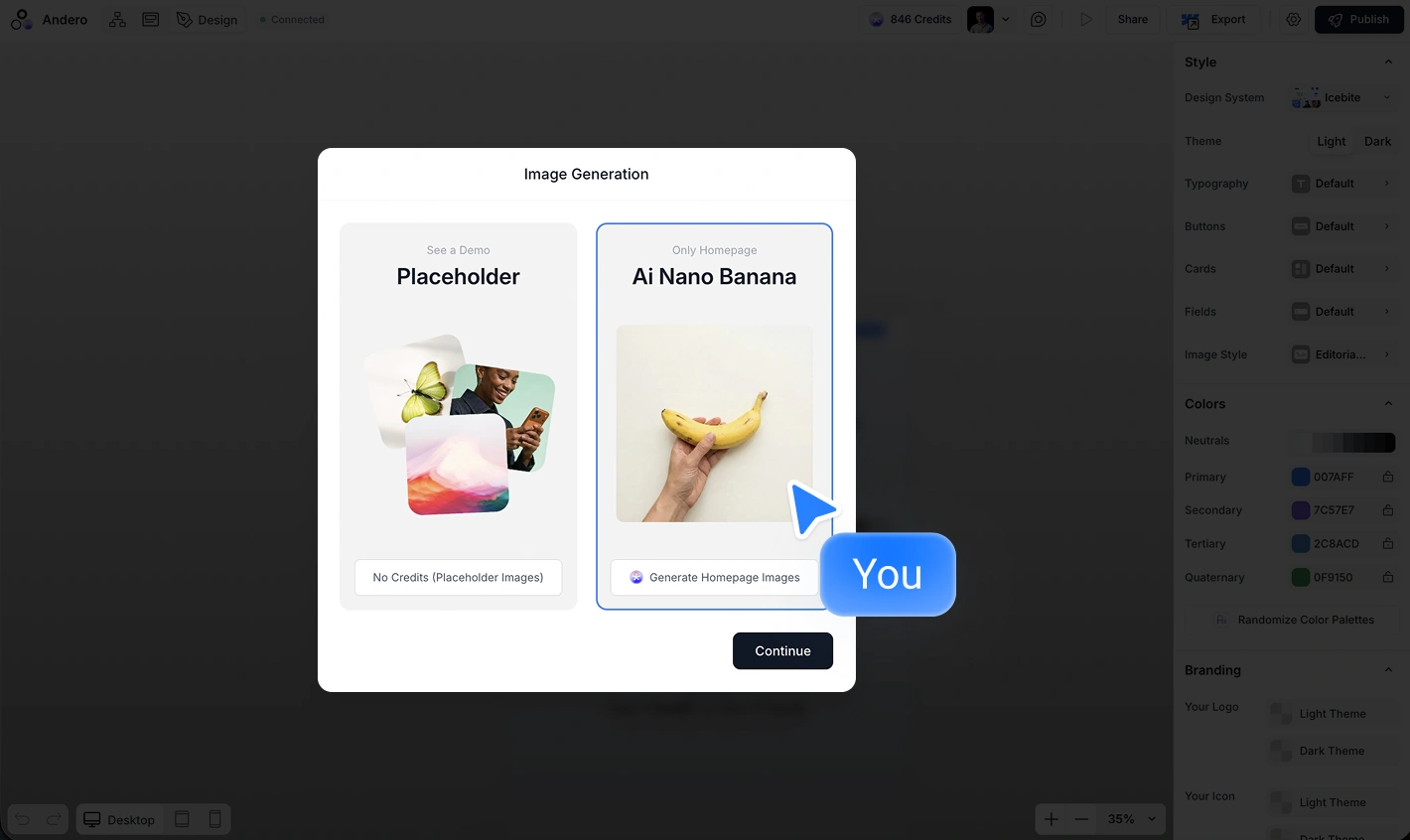
The keyword here is context-aware. Nano Banana doesn't just generate generic images. Because it lives inside Modulify and understands the project you're working on — the industry, the tone, the design language — it generates images that are appropriate for the specific page you're building.
A pets care center website gets professional, well-lit imagery of real-looking trade work. A SaaS landing page gets clean product-style visuals. A restaurant site gets food photography that looks like it was actually shot for the brand.
How does it change the workflow?
The practical impact is significant. Before Nano Banana, the imagery gap created a back-and-forth loop between designer and client that could stretch a project timeline by days. You'd finish the site, then wait for photos. The photos would come in the wrong format, the wrong ratio, the wrong vibe. You'd source stock photos as a placeholder and then swap them out later. The project lived in a permanent "almost done" status.
With Nano Banana inside Modulify, you generate placeholder imagery that's actually good enough to present in a client review.
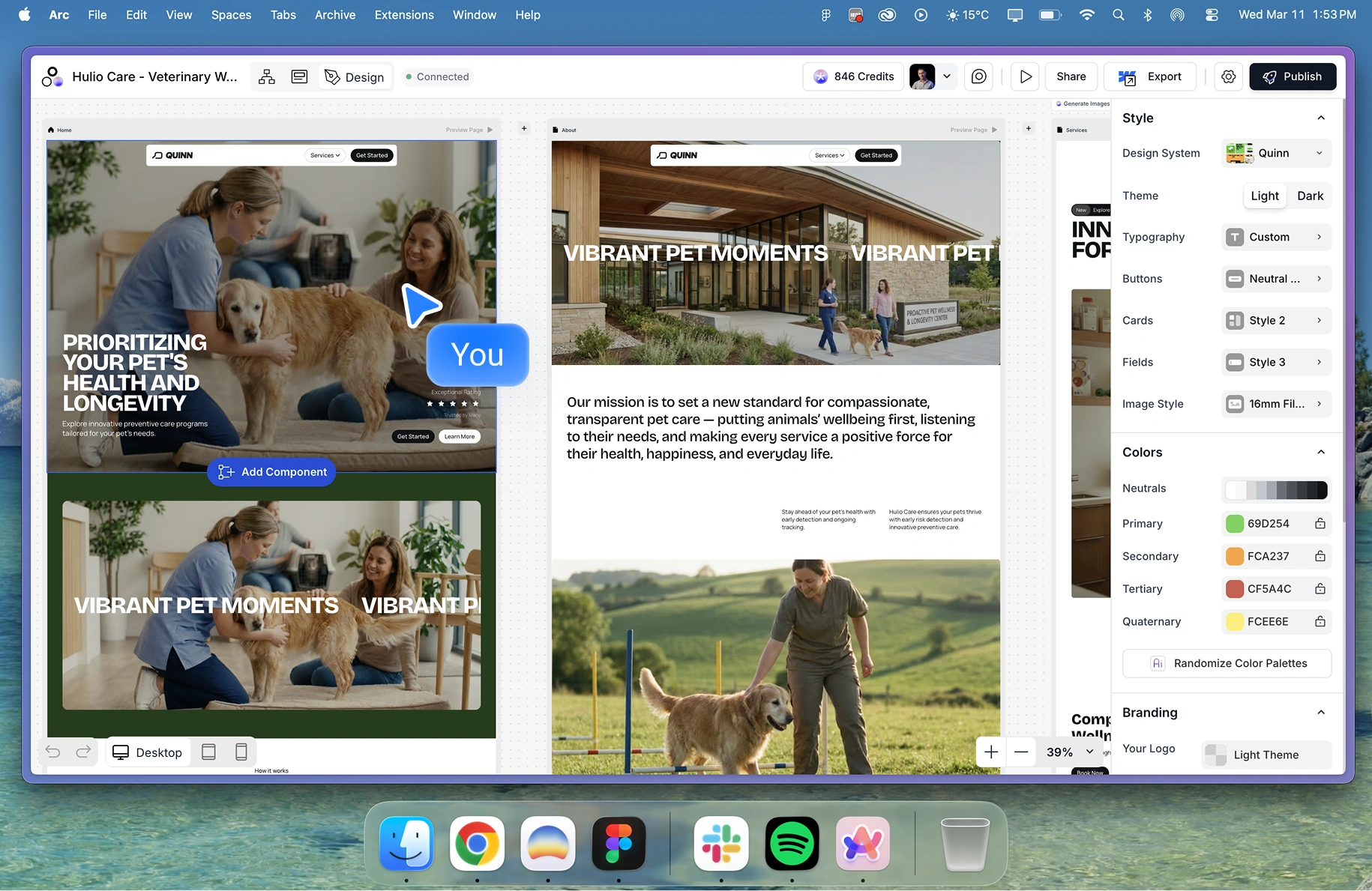
The client can see the full vision of the site — not a wireframe with grey boxes where the photos will go, but an actual rendered site with professional imagery in the right places. Feedback gets clearer. Approval gets faster. Projects close faster.
For freelancers running on MacBook Neos' all-day battery across client meetings and coworking sessions, this is a compounding advantage. Less waiting, less back-and-forth, more billable time spent on actual creative decisions.
Nano Banana is powered by Google's Gemini AI and runs inside Modulify — no external tools, no workflow interruption. Generate, preview, and ship within the same platform you're building in.
The Takeaway
The MacBook Neo is Apple's clearest statement in years about who the next generation of creative professionals is: mobile, AI-native, and working without the enterprise safety net of a large studio or agency budget. Students, freelancers, and independent designers who need a machine that moves with them, runs all day without hunting for outlets, and renders color accurately enough to do professional work.
Modulify is built for the same person. A platform that removes the blank-canvas friction of starting a Webflow project from scratch, handles imagery generation on the fly, and gives you a component library that covers every project type without locking you into a single template's visual logic.
Together, they make a case for a new kind of design workflow — one where the time between client brief and a live, polished Webflow site is measured in hours rather than days.
The MacBook Neo launches today. Modulify is ready for it. Are you?

Discover and grow your audience with the checklists in our free guide.

Effortless Web Design starts here. Try Modulify Now!
The only playground you need to build Webflow websites with AI in minutes.


Design & Build Webflow sites in minutes with AI